Do you remember shooting film? One, two, three — and that was your frame. Thirty-six to a roll. You studied the scene for a long while before pressing the shutter, worried someone had blinked, and still hesitated to spend one more. You dropped the roll at the lab and only found out days later, opening the envelope: "ah, that one's blurred."
That was the right way to work back then. A single frame was expensive.
One thing we would like to share - AI lookbooks suit making plenty and picking the best of them. Rather than generating one cut and judging from it, spreading a generous set out and choosing gives you noticeably better results.
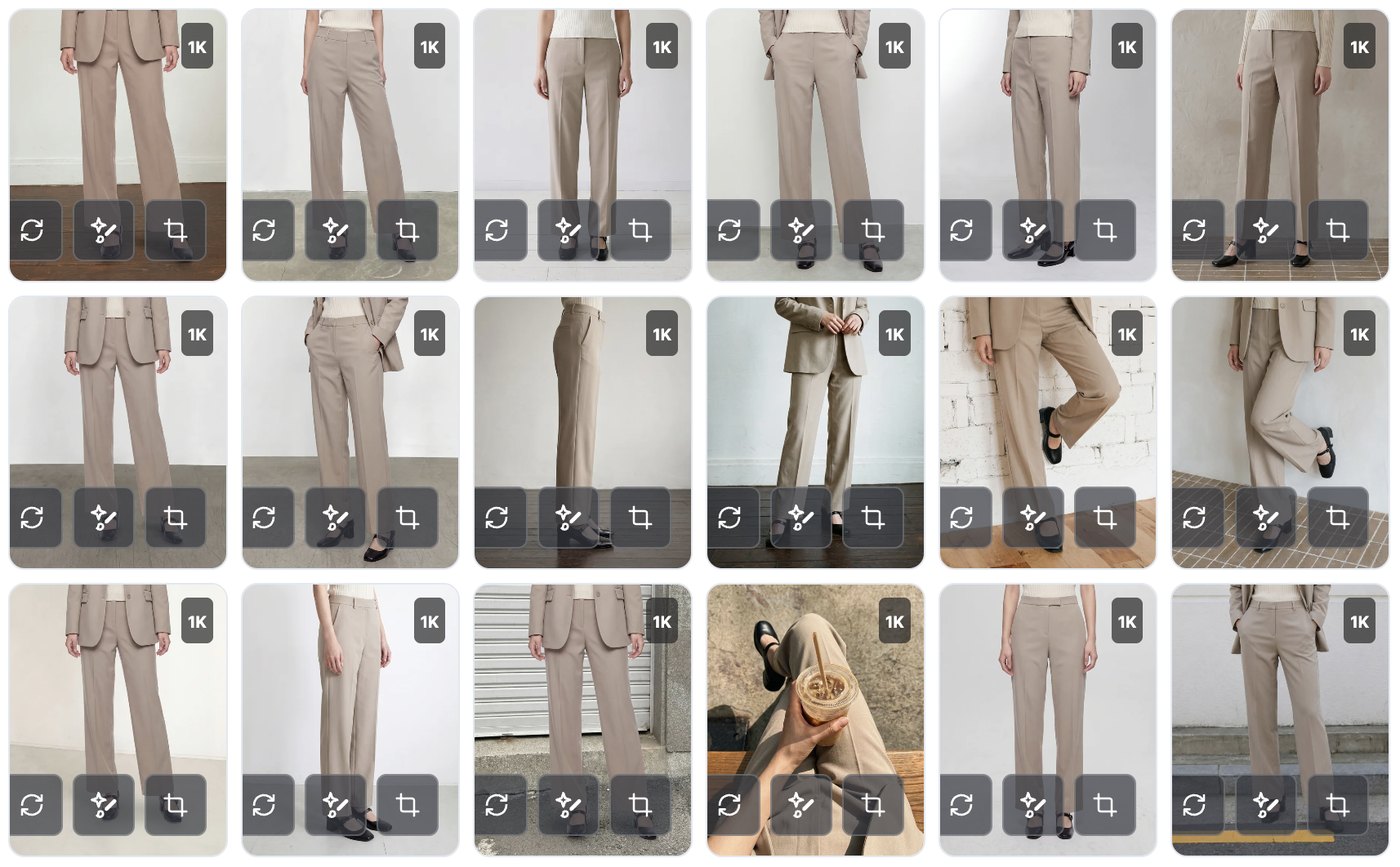
01 · ShiftWhat happened when a frame cost nothing
What actually changed when digital cameras arrived? Image quality, sure — but the real change was elsewhere. One more frame cost close to zero.
And so the way we shot changed. Ten frames of the same pose, ten more from another angle, and then everything spread across a laptop screen to pick one. Shooting hundreds a day to deliver ten became ordinary.
The interesting part is that photography got better after that shift. Not because we sprayed and prayed, but because the pool we chose from got wider.
02 · NowAI lookbooks are standing in that same spot
What AI image generation does has the same grain to it. Casting, studio rental, hair and makeup, half a day of shooting and retouching — it lifts a great deal of that weight.
So we can move the way we did when digital arrived. Make plenty cheaply, then choose. Spend what you saved on the shoot on the number of cuts. Not the thrift of the film era, but the generosity of the digital one.

03 · HabitBut our hands are still in the film era
Here is where it gets interesting. The tool became cheaper than digital, and yet our hands still carry a film-era habit.
You generate one cut, look at the screen for a while, think "hmm, not quite," and close the window. We know that feeling very well. When something you were looking forward to does not land right away it stings, and pressing again feels like a decision.
But that one cut is closer to the first frame on a digital camera than the one frame on film. Think back — how often was your very first frame the best one of the shoot?
We say as much ourselves - one of our own notices reads, "Our AI model is continuously learning but may occasionally make mistakes." On the pose screens we also print "Due to the nature of AI generation, poses may not match exactly." There is a reason we put that in plain sight. It is why we built the features to return several cuts at once.
04 · PracticeSo here is what we would suggest
Nothing elaborate — just what you already did with a digital camera.
First, be generous with angle and pose. This is the easiest place to multiply your cuts. Decide only what to hold and what to change, and one press returns several.
Change Angle Only can make a single cut from one chosen angle, but if you are after more cuts it is worth switching on [Generate with best 5 angles]. When to reach for which is laid out in Vol.01.

Even with the same background, more than once. If the background and model are working for you, we would run that combination two or three more times. On the Style Shot result screen, [Generate with different angles & poses at this location (5 shots)] does not overwrite what came before — each run is added on top. Press it more than once. Think of it as the burst button on a digital camera.
Press without worrying. Variations keep generating even if you close the window — the screen says so: "Generation continues even after you close this window. You can check the results in Gallery!" They land in your Gallery without any saving on your part, so start a run and come back to it later.
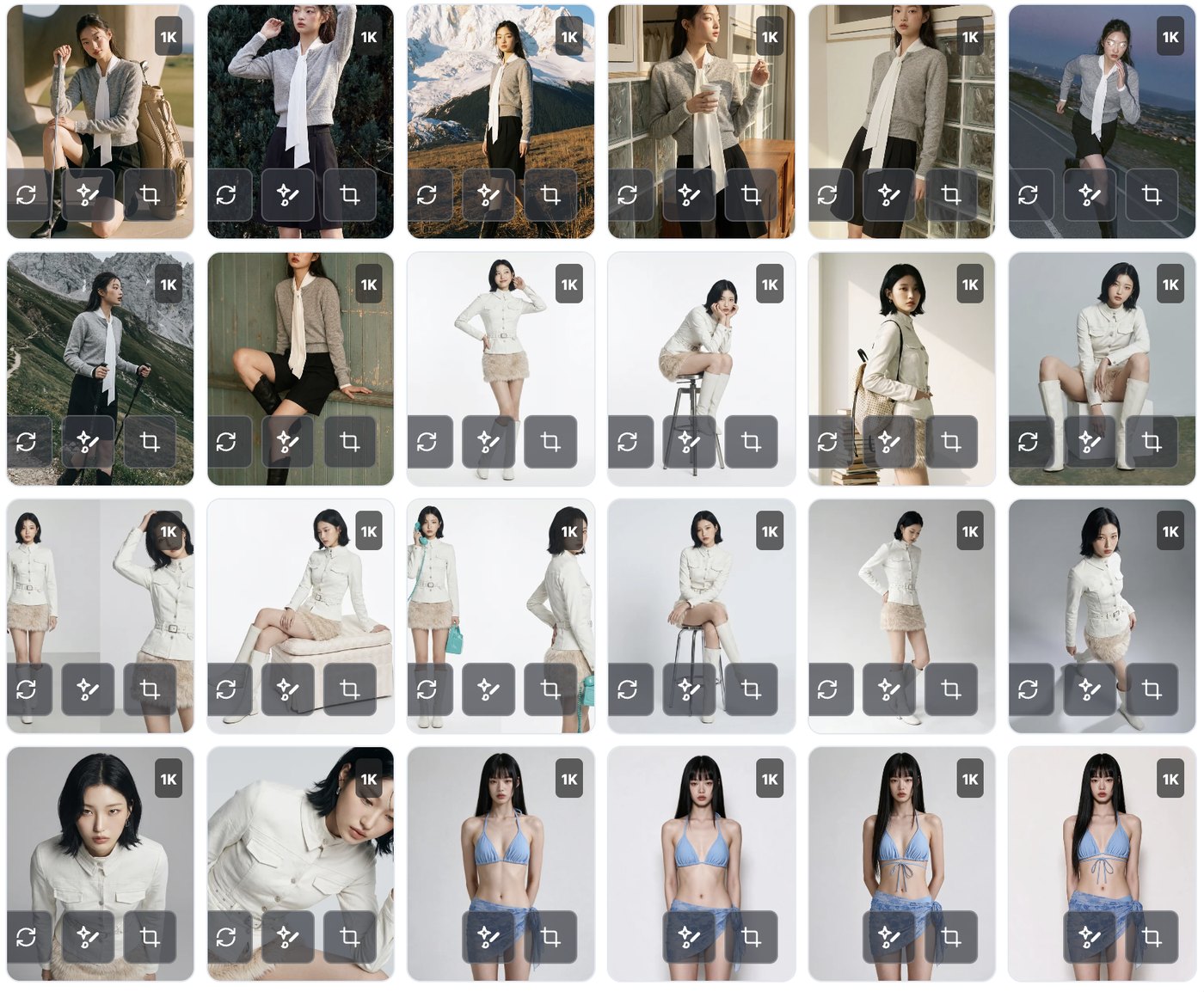
Then choose. Spread everything out in the Gallery and pick what goes on the product page. Tap Like on the cuts you want and they gather under the [Liked] tab on the left, so you can browse only those afterwards. This is the thing we all did in front of a laptop in the digital era, and it is the step that made photography better.
One exception - Touch-up builds its results inside the editor, so when a version you like comes out you need to press [Save to Gallery] to keep it. The screen keeps a note above the button: "Always save the result versions you like!"
ClosingWe can get used to it together
The move from film to digital felt awkward for a while too. The memory card had plenty of room and we still hesitated before pressing. Then at some point we became people who shoot a lot, shoot in bursts, and pick.
AI lookbooks are the same. At first you will generate one cut and go "hmm," but after a few rounds of making plenty and choosing, the feel comes quickly. From then on AI becomes a far easier tool to hold.
Let's get used to it together, at whatever pace suits you. We will keep refining StyleRoom so that making those many cuts — and choosing among them — stays easy.
More Shots From One Garment