Wanted a video different from the templates, but stuck on what to write at which second?
Or wrote a line or two, and the model didn't move the way you pictured?
StyleRoom's video feature now has "Roomi Agent," which writes your storyboard with you.
Just say what video you want in your own words, and Roomi writes a cut-by-cut storyboard.
Writing and editing storyboards is free!
- What"Roomi Agent" writes a cut-by-cut storyboard that fits your video length, by chat.
- WhereThe "Write with Roomi Agent" tab in StyleRoom video and the storyboard box on the left.
- HowAnswer in order: photo → the video you want → length, and your storyboard is ready.
- How muchStoryboarding is free, up to 50 times a day.
01 · StartWhere do I find Roomi Agent?
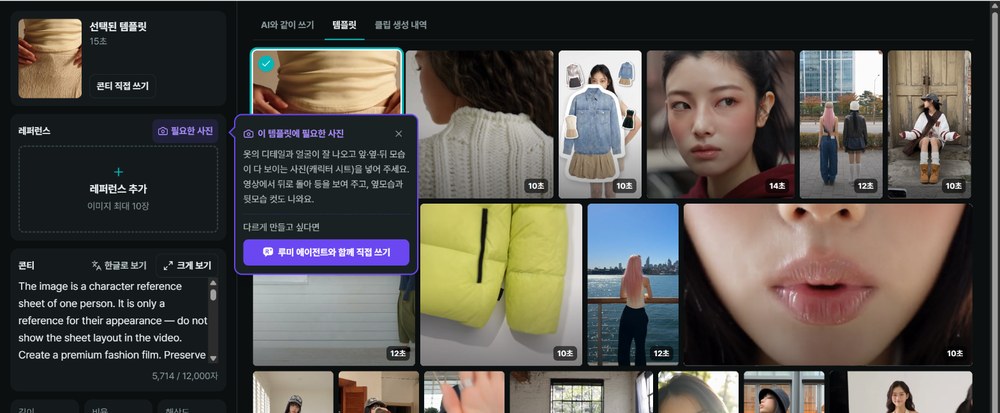
In Style Clip, there's a "Write with Roomi Agent" tab above the template list.
If a template is selected, select [Write with Roomi Agent] under the "What to prepare" note.
The template is released and you can write your storyboard with Roomi.
02 · HowWriting a storyboard with Roomi
First, add a clothing or model photo under References on the left. Roomi writes the storyboard based on your photo.
Then, in "Write with Roomi Agent," write where you'll post it and what scene you want.
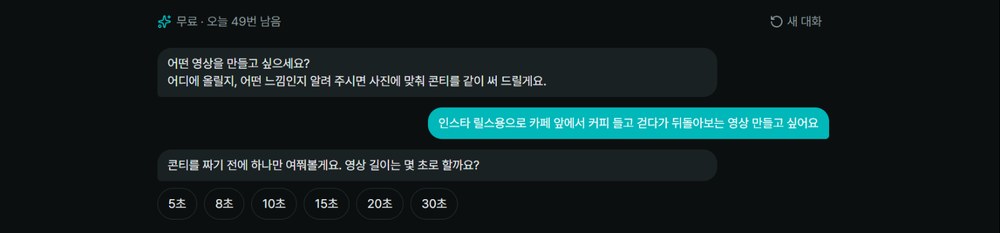
Something like "a Reels video of walking in front of a café with a coffee, then looking back."
Before writing the storyboard, Roomi asks for the video length once.
Pick a button from 5 to 30 seconds and the cuts are split to fit that length.
If you only said where it's for and not what scene, Roomi asks once what scene you want, too.
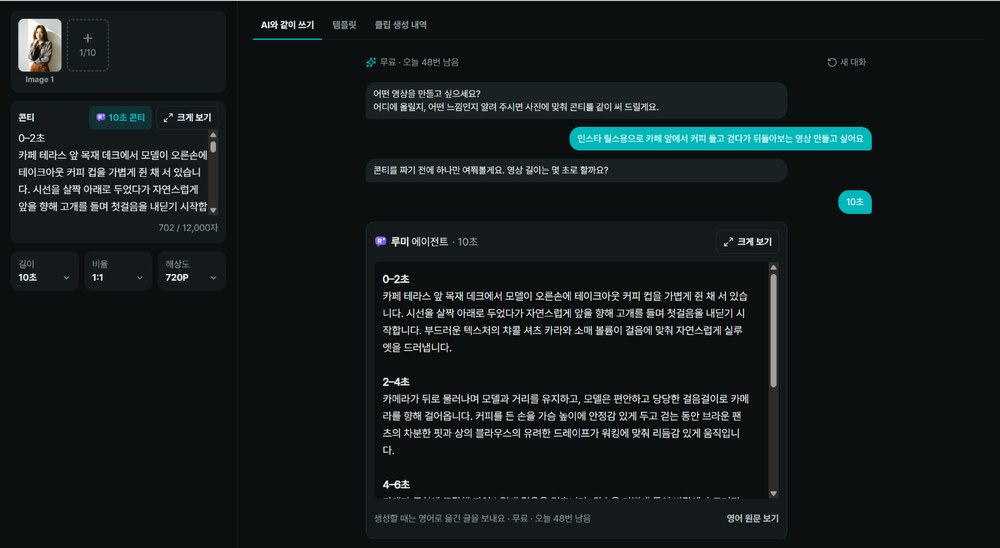
Once you pick the length, Roomi writes a storyboard split into cuts like 0–2s and 2–4s.
The same storyboard goes straight into the storyboard box on the left.
It even includes moves that show off the material and silhouette of the outfit in your photo.
Tell Roomi in the chat what you want to change.
Say something like "at 2–4s, the wind blows her bangs and she tucks them behind her ear with her left hand," and only the related cuts change.
Changed cuts get a "Changed" badge so you can see what's different at a glance.
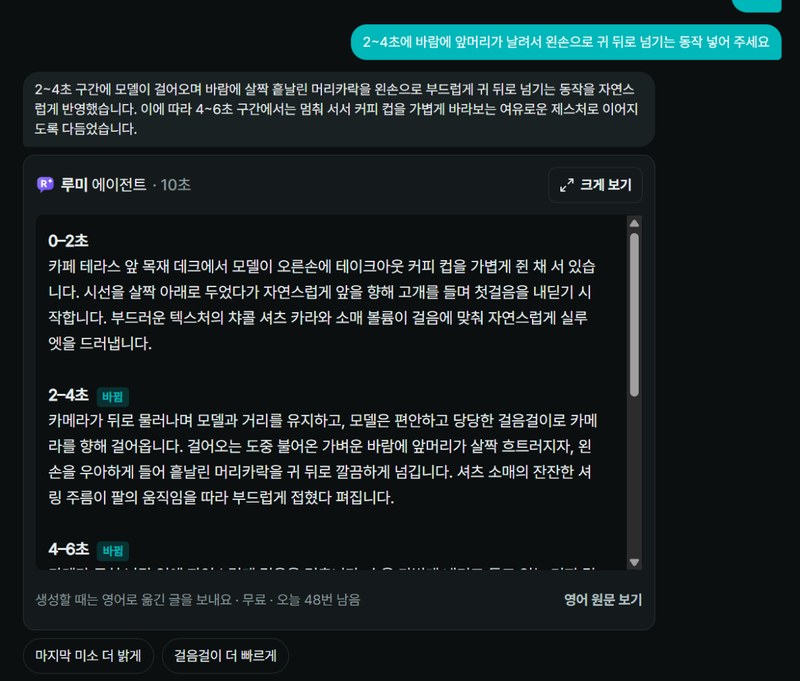
Below the chat, suggestions for what to change next appear too, like "a brighter smile at the end."
Select one and Roomi keeps editing from there.
03 · TipGood to know
- You can edit the storyboard box directly. Select "Apply changes" after editing and only the edited cuts are translated into English. If you generate without applying, it's done for you at generation.
- Videos are made from the English storyboard. You see the storyboard in your language, but the English version is sent when you generate. Check it with "Show English."
- Change the length and Roomi rewrites it. The storyboard is rewritten to fit the new length, with a button to go back to the previous one.
TIP. Curious how to write a storyboard that gets the scene you want? Read "How to Write a Style Clip Storyboard" too. The same tips work when you talk to Roomi!
04 · FAQRoomi Agent: frequently asked questions
Does storyboarding with Roomi Agent use credits?
No.
Writing and editing storyboards is free, up to 50 times a day.
Credits are only used when you make the video with "Generate style clip."
Can I edit directly in the storyboard box?
Yes.
You can edit right in the storyboard box on the left.
Select "Apply changes" after editing and only the edited cuts are translated into English; if you generate without applying, it's done for you at generation.
What happens to the storyboard if I change the video length?
Roomi rewrites the storyboard to fit the new length.
A button to go back to the previous length's storyboard appears too.
Can I use it when a template is selected?
Yes.
Select "Write with Roomi Agent" in the template's "What to prepare" note, and the template is released so you can write your own storyboard with Roomi.
Say it, and it becomes a storyboard.
Build your own video storyboard with Roomi today.