If you run an underwear brand, you have probably been here. You upload a product photo to an AI image service and nothing comes back. It does not tell you much about why either — just that it cannot be done.
There was nothing improper about it. You uploaded a photo of the product you sell.
The short answer first - StyleRoom has a separate menu for underwear and bikinis. If you have been blocked elsewhere, try generating here.
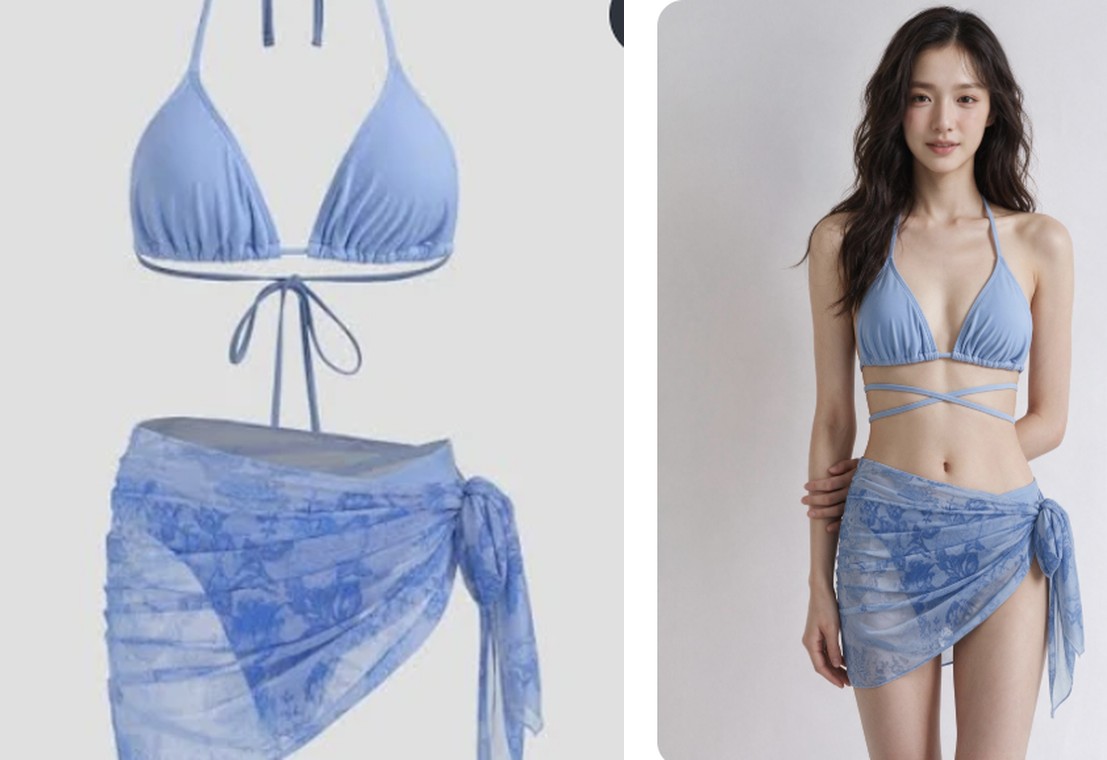
01 · WhyUnderwear deserves to be recognized
Underwear is a major pillar of the fashion industry. And for the shopper it is an everyday essential — something everyone wears. It sits in supermarkets, in department stores, in every online fashion store, and brands have advertised it normally for decades.
In front of AI image tools, though, it is a different story. Because there is skin in the frame, generation errors and policy blocks come back with no chance to explain. The judgment is not fine-grained, so images made for ordinary commerce get blocked along with everything else.
The brand is the one caught in between. The product page has to be built, the cuts are needed, and shooting this category is far more demanding than others. Casting is different, there is more to manage on set, and so it is the category where building product pages and lookbooks weighs the heaviest.
The place that needed help most was the place shut hardest.
02 · PathSo we built a dedicated menu and made it work
StyleRoom did not avoid this category. Open the [Style Shot] menu at the top and [Underwear / Bikini] sits there as its own group, described in plain words as "Dedicated to clothing with more exposure."
It is not bundled in with the other fashion accessories — it uses its own generation screen, and the way it works is designed around this category.
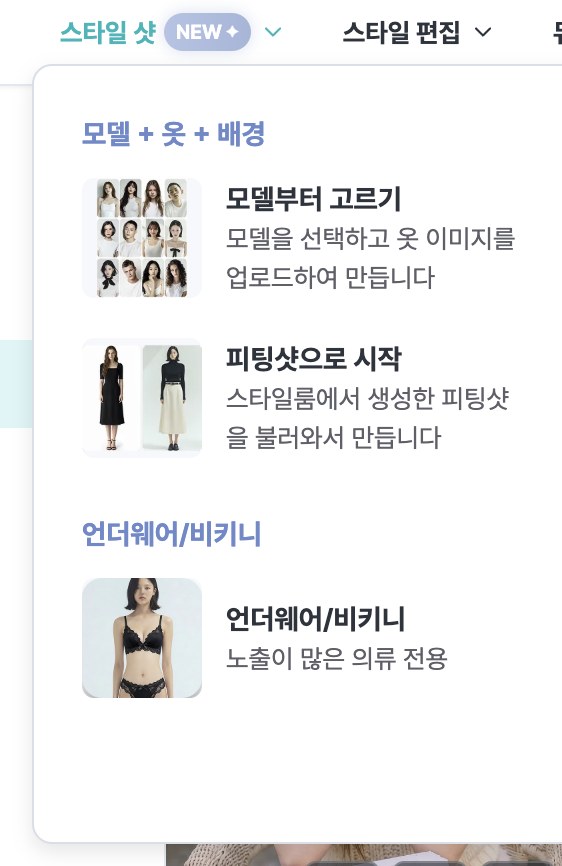
Designed for this category - we opened a separate generation path so underwear and bikinis can be made for product photography. That said, this path is for product photos, and generation beyond that purpose is restricted under our terms of service and policies. Underwear brands are making product cuts through this path as you read.
03 · HowThree steps to make one
It is not complicated. All you need is the product photo.
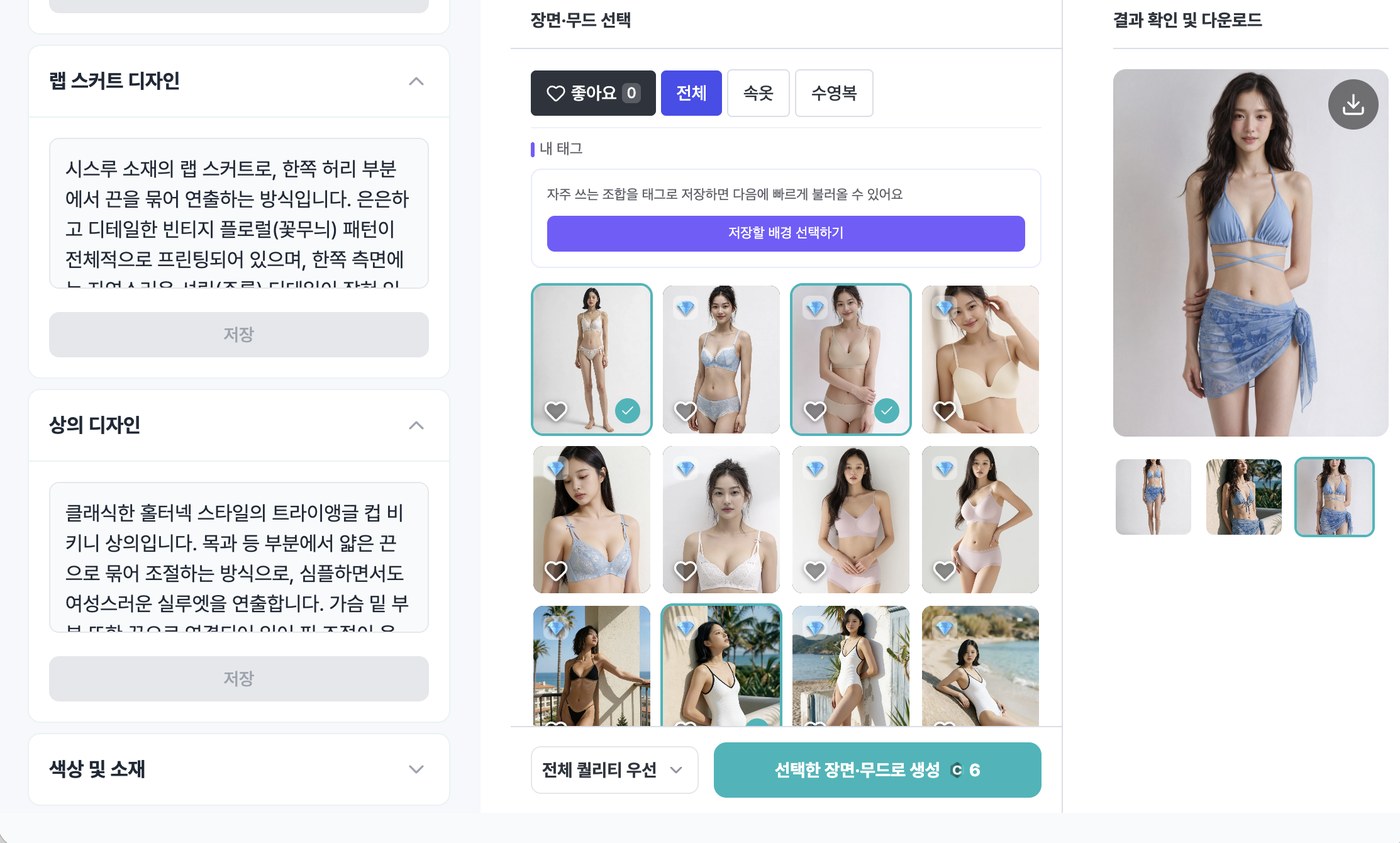
1. Pick a model. Choose one that fits your brand tone. There is no smaller pool for underwear — you pick from every model StyleRoom offers.
2. Upload the item image. One [Main Image] is enough to start, and if fabric or detail matters for the product, add a [Detail Image] as well. Press [Start Feature Analysis] and the AI reads the item.
3. Check it, then generate. When the analysis finishes it tells you "We've identified the item's features — please confirm they look right!" You can leave what the AI found as it is, or edit and save it yourself. Noting how the piece should be worn, or what to match it with, changes the result.
One thing to watch: you may want to make a shot of just a top or just a bottom. If you upload only a bra or only briefs, the AI does not know what to put on the rest of the body, so it may error out or produce something odd. When uploading briefs alone, ask for a tank top on the upper body; when uploading a bra alone, ask for a suitable bottom — write that in and then generate.
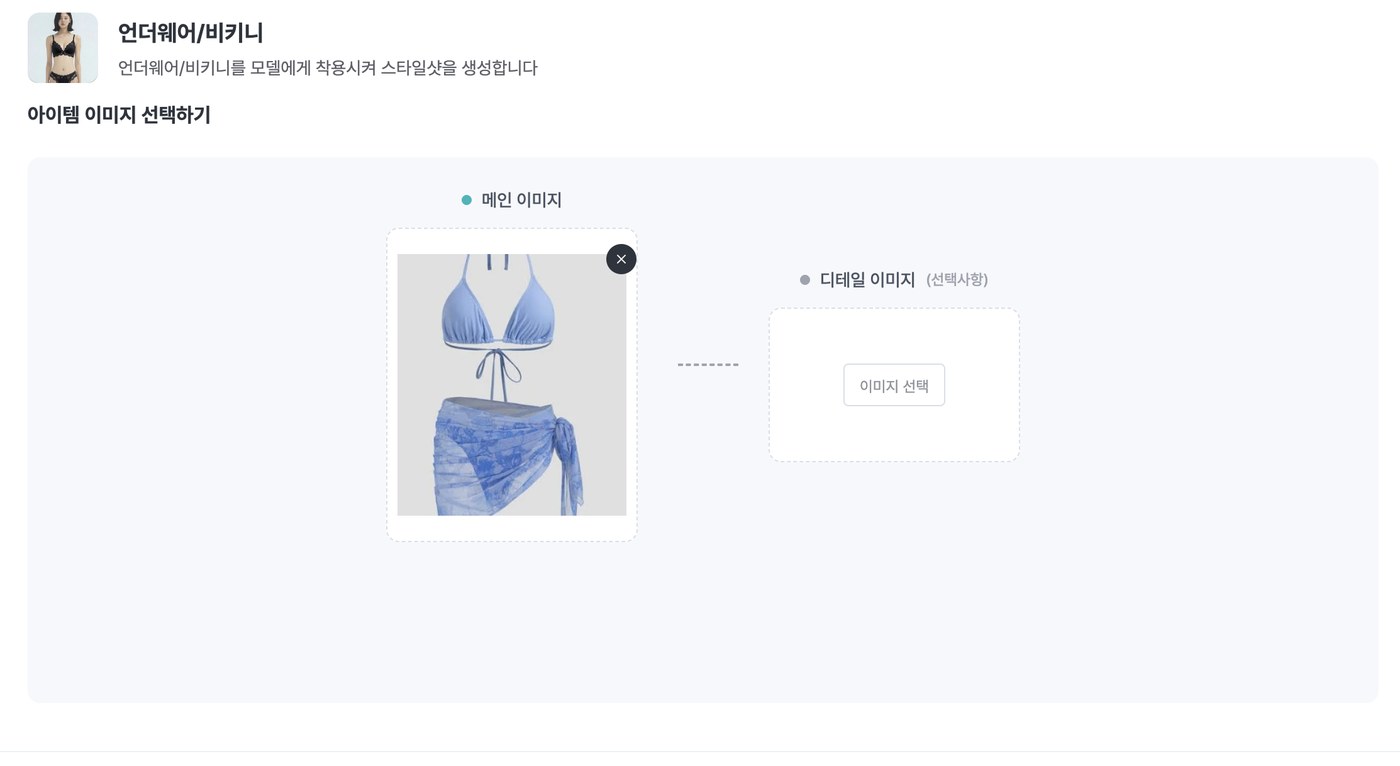
Then pick a background under [Select Scene & Mood] — each background comes with a fixed pose. You get as many results as the backgrounds you pick. Choose three places and you get three shots.
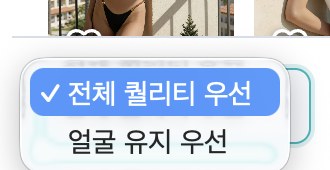
One option only this screen has - you can choose a generation priority. [Overall quality first] leans toward the finish of the whole image; [Face consistency first] leans toward preserving the face of the model you chose. If you have settled on a brand model and want to stay consistent, the latter is easier.
StyleRoom can generate most underwear and bikini images. Every so often, though, a particular image will not go through. When that happens you see [Generation failed] with "This appears to violate content policy," and the credits you spent are refunded automatically within a few minutes. Even for the same product the outcome can differ depending on which cut you upload, so if one gets blocked, do not give up — try another cut.
04 · NowThis is how it is already being used
Without any large announcement on our side, underwear and bikini brands keep finding their way here. Usually after getting blocked somewhere else and asking around.
And most of them say something similar. "So it works here." "It wouldn't go through anywhere else — we're using this a lot."
It is thanks to them that we came to feel how much demand this category actually holds. Honestly, we did not expect it to be this much.
05 · NextA large update in mid-September
To be straight with you, we have not prepared enough backgrounds and poses for underwear so far. Compared with what we stocked for regular clothing, the choices were thin. We did not know the demand ran this deep.
Now we do. So we are preparing a large underwear update for mid-September.
- Many more backgrounds made for underwear and bikinis. We are filling in scenes and moods that suit this category.
- More poses too. Angles and poses that show the product well, prepared against this category's needs.
- The generation model has already been upgraded. The difference in finish is something you can see right now.
Use it now, or come back after the update. Either way — since the model upgrade is already live, if you tried it before and came away unconvinced, it is worth making one more.
ClosingNot a product to hide
Underwear is a product that sells normally, and one people need. It needs a product page, it needs cuts, and it has to be shot again each season. Exactly like any other garment.
The tools simply had not kept up. At StyleRoom, you can make them now.
If you have ever been blocked somewhere else, come by with a single product photo.